Test Search
Before making your widget live or after updating your content, it is important to verify that the AI search returns accurate and relevant results. The management portal includes a built-in search testing tool that lets you run queries against your knowledge base and inspect the results without needing to use the public-facing widget.
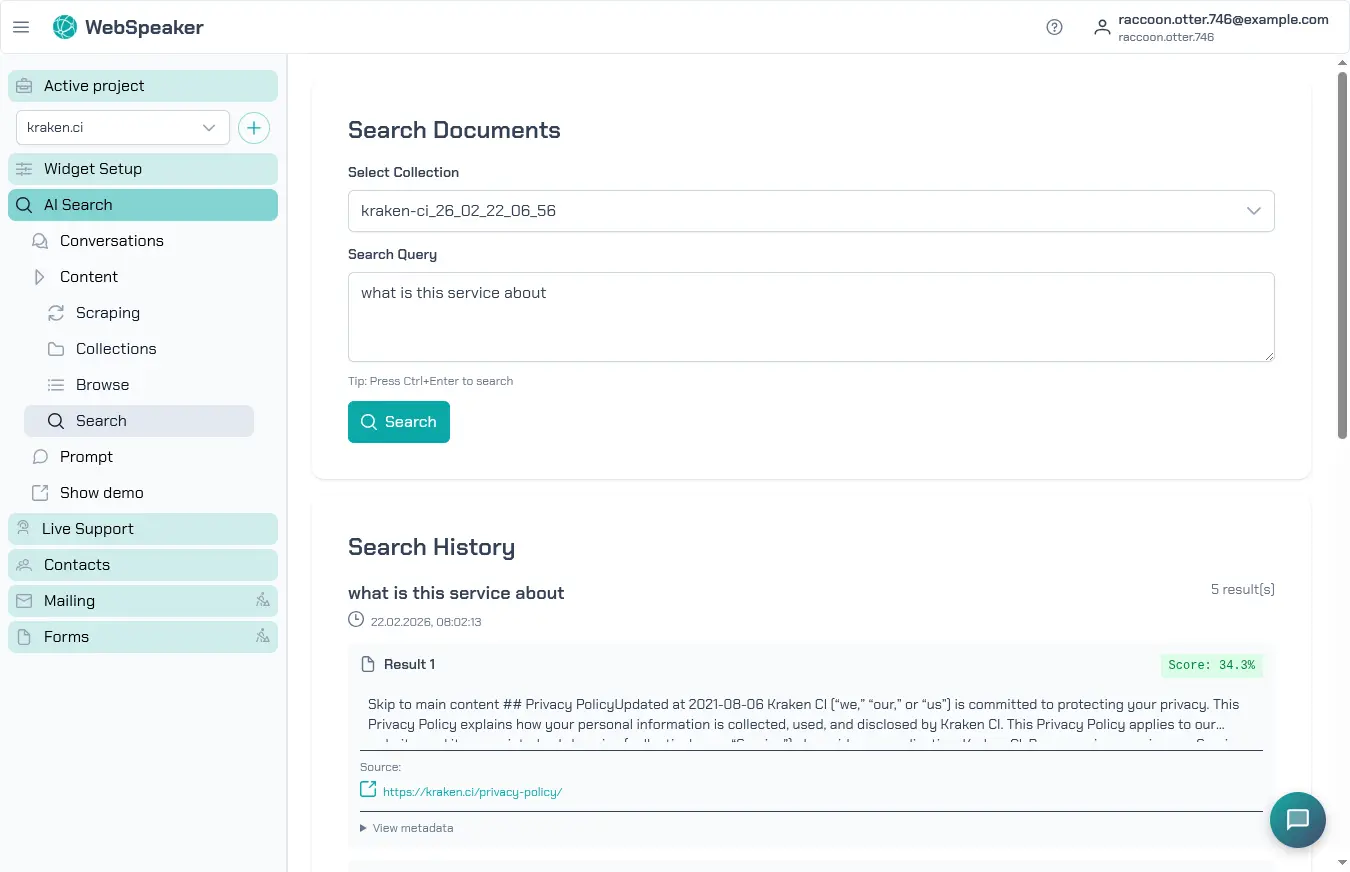
Using the Search Testing Tool
Navigate to your project in the management portal and open the AI Search -> Content -> Search section. Enter a query in the search field just as a visitor would type it into the widget. The system processes your query through the same AI pipeline used by the live widget, including semantic retrieval, context assembly, and response generation.
The test tool displays the generated AI response along with the source citations that were used to compose it. This gives you a complete picture of what a visitor would see when asking the same question through the widget on your website.
Verify Results Match Expectations
Test a variety of queries that represent common questions your visitors might ask. Start with straightforward questions that should have clear answers in your content, then move on to more nuanced or complex queries. Pay attention to whether the AI response accurately reflects the information on your website and whether the cited sources are the correct pages.
If a query returns unexpected results, consider whether the relevant content was properly scraped and included in your knowledge base. Check the content collection to confirm that the pages containing the expected answers are present and have an active status. Sometimes the issue is not with the search itself but with the scraping configuration missing important content.
Check Relevance Scores
The test tool shows relevance information for the retrieved content chunks. Higher relevance scores indicate a stronger match between the query and the content. Reviewing these scores helps you understand why certain pages are surfaced over others and whether the semantic search is correctly identifying the most relevant content.
If you notice that low-relevance content is being included while more relevant pages are ranked lower, this may indicate that the content extraction needs refinement. Improving your CSS selectors to capture cleaner, more focused text can significantly improve relevance scoring.
Debug Search Issues
When search results are not meeting expectations, there are several things to investigate. First, confirm that the content exists in your collection by browsing the content list. Second, check that the content was extracted cleanly without excessive noise from navigation elements or unrelated page sections. Third, try rephrasing your query to see if different wording produces better results, which can reveal whether the issue is with content coverage or query interpretation.
If you have recently updated your website content, make sure you have run a new scraping cycle so the changes are reflected in the knowledge base. The AI search can only return results based on the content that has been scraped and processed.