Widget Features
WebSpeaker separates widget entry points from the underlying capabilities. You can control the navbar search field, the floating bubble, AI Search, and Live Support independently. This makes it easier to match the widget behavior to your website and roll out modules in stages.
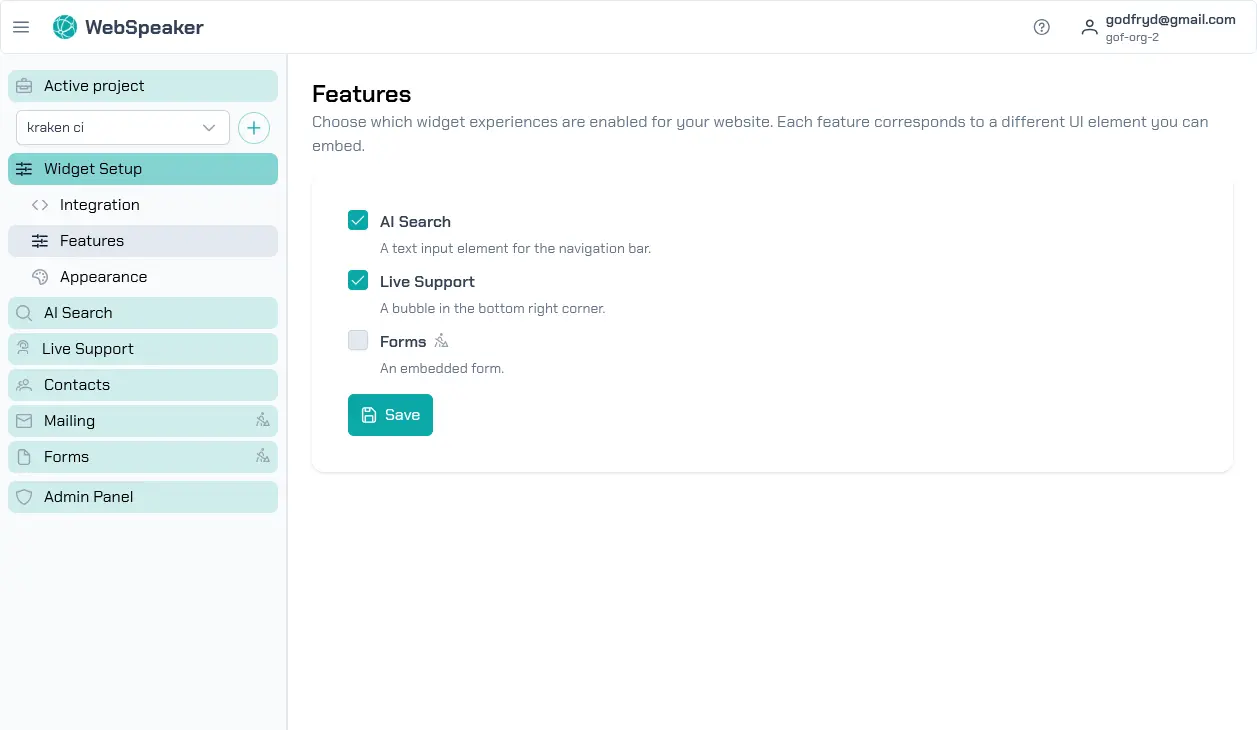
Feature Toggles
In the management portal, open your project and go to Widget Settings -> Features. There you will find the Search Input widget and Floating Chat Bubble (FAB) toggles. They control the visibility of the widget entry points on your website: the search field in the navbar and the floating bubble.
The capability toggles live in their own sections. You can find AI Search enable in the AI Search section and Live Support enable in the Live Support section. These toggles control whether AI Search and Live Support are available at all. Changes take effect immediately and do not require any code changes on your website.
Search Input widget
The Search Input widget toggle controls whether the search field is visible in your website navbar. This entry point only works together with AI Search enable, because it opens the widget with the AI Assistant tab. If AI Search is disabled, the search field will not appear even if this toggle remains enabled.
Floating Chat Bubble (FAB)
The Floating Chat Bubble (FAB) toggle controls the floating bubble. You can place it in any corner and configure separate desktop and mobile offsets. The FAB can open the widget for either AI Search or Live Support, depending on which capabilities are enabled. If both AI Search enable and Live Support enable are turned off, the bubble will not be shown even if the FAB toggle itself stays enabled.
Interface Adaptation
The widget automatically adapts its interface based on the enabled capabilities and entry points. If both AI Search enable and Live Support enable are on, the widget shows tabs that let visitors switch between AI Assistant and support chat. If only one capability is active, the tabs are hidden and the widget opens directly in the relevant mode.
The entry points are adjusted independently. Search Input widget shows the navbar field only when AI Search is active, while Floating Chat Bubble (FAB) appears when at least one capability is enabled. This lets you decide exactly how visitors should open the widget on your website.
Moving and Resizing the Chat Window
On desktop, visitors can drag the open chat window by its header to move it anywhere on the screen, and resize it using the handle in its corner. The browser remembers the custom position and size, so the window opens the same way again on the visitor’s next visit.
Fullscreen Chat on Mobile
On mobile devices, the chat window automatically expands to fill the screen when it is opened, instead of floating over the page the way it does on desktop. This gives visitors more room to read and write, and the window stays aligned with the visible screen area even while the on-screen keyboard is open.
AI Transparency
Every AI Assistant answer carries a small AI badge. Selecting it opens a short disclosure explaining that the message was generated by AI and may contain mistakes, together with links to the privacy policy and terms. Messages from a human agent during Live Support carry a matching info badge instead, with a disclosure noting that the message was written by a human support agent. This lets visitors always tell whether they are talking with the AI Assistant or with a person.
Deployment Scenarios
Separating capabilities from entry points supports different rollout scenarios. For example, you can enable only AI Search enable and expose it through Search Input widget in the navbar. You can also enable only Live Support enable and use only Floating Chat Bubble (FAB) as the entry point for chat.
Another option is to enable both capabilities and keep both entry points, so visitors can start interacting with the widget from different places on the page. This split makes phased rollouts, interface experiments, and temporary capability switches much easier without removing the widget from your website.