Manage Members
Your WebSpeaker organization is a shared workspace where team members collaborate on projects, handle support conversations, and manage content. This guide explains how to invite new members and manage your team.
Inviting Team Members
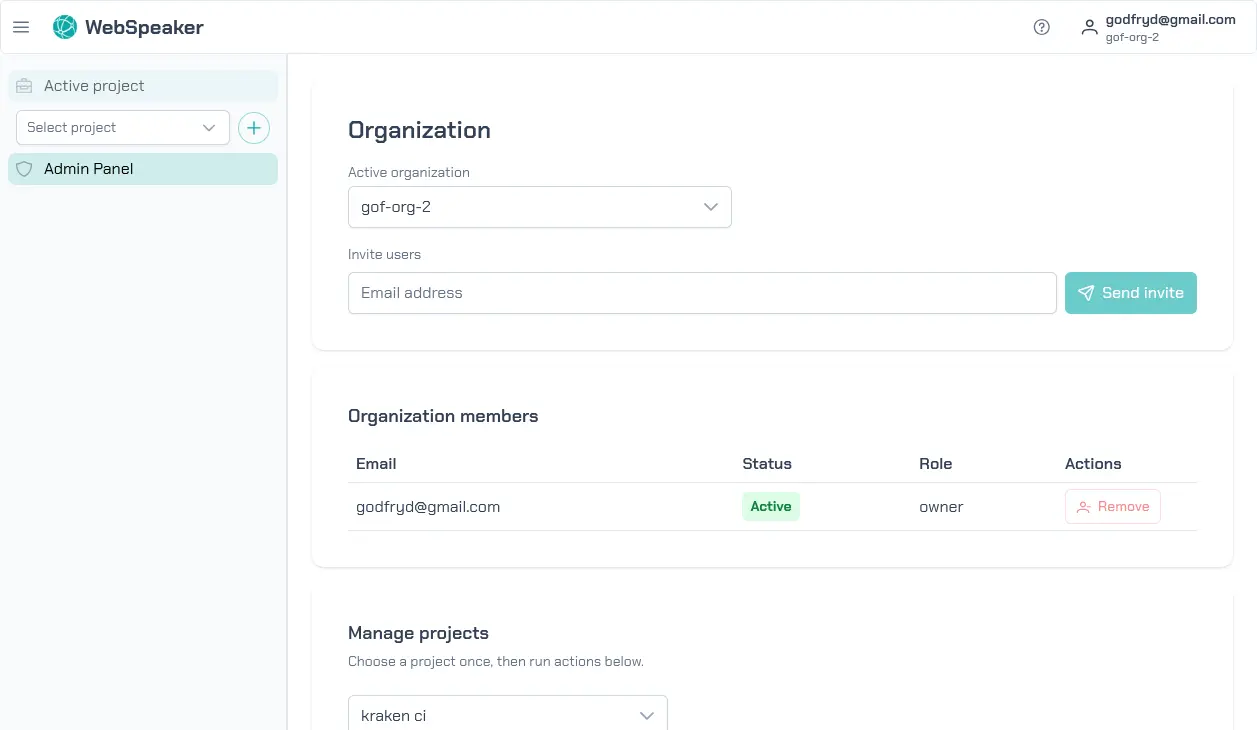
To add someone to your organization, go to the management portal, click your user avatar in the top-right corner and select Organization from the menu. The members list is displayed on this page. Enter the email address of the person you want to invite and send the invitation. The invitee will receive an email with a link to join your organization. If they do not already have a WebSpeaker account, they will be prompted to create one during the invitation acceptance process.
You can send multiple invitations at once to onboard your entire team quickly. Pending invitations are visible in the members list, so you can track who has accepted and who has not yet responded.
The number of members you can add depends on the seats available in your current plan. If you cannot invite another person, check Organization -> Billing to review your seat limit and billing state. See Manage Billing for full details.
Removing Members
If a team member leaves your organization or no longer needs access, owners can remove them from the members list. Removing a member immediately revokes their access to the organization and all its projects. Their past actions (such as support conversations they handled) are preserved in the system for record-keeping purposes.
Before removing a member, ensure that any ongoing responsibilities (such as active support conversations) are transferred to another team member. Removing an active support agent may leave conversations unattended.