Browse Content
After a scraping run completes, all the extracted content is organized into collections that you can browse, inspect, and manage through the management portal. This section explains how to navigate your content library and review extracted text.
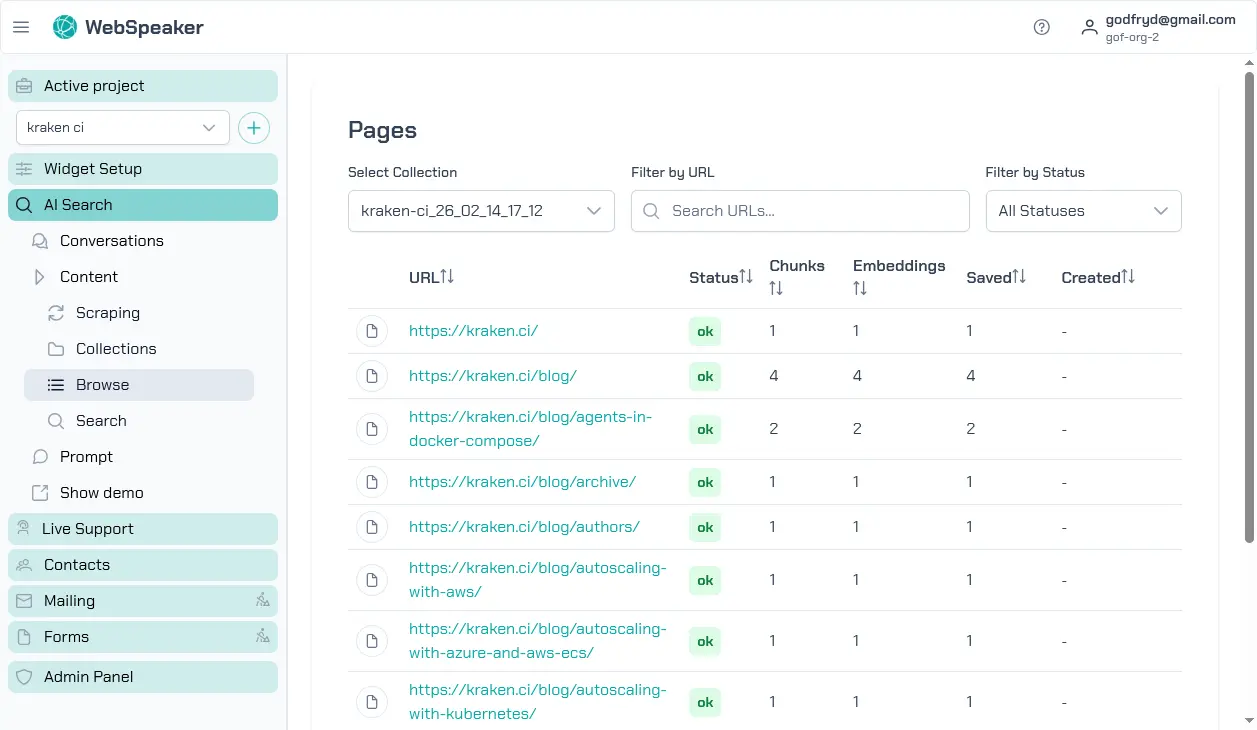
Browse Collections
In the management portal, navigate to your project and open the AI Search -> Content -> Browse section. Here you will find a list of all scraped pages organized by your configured content sources. Each entry shows the page URL, title, and current status. You can scroll through the list or use search and filter controls to find specific pages.
Each scraping run creates a new, independent collection. Collections are never modified after creation. You can keep multiple collections and switch between them by activating the desired one. Only the active collection serves results to website visitors.
View Extracted Text and Metadata
Click on any page in the collection to view its details. The detail view shows the extracted text content as it will be used by the AI search system. You can review the text to verify that your CSS selector configuration is capturing the right content and excluding irrelevant elements like navigation or footer text.
The metadata section displays additional information about each page, including the source URL, the page title, the date it was last scraped, and the content length. This information helps you understand what the AI search system has to work with and identify any pages where the extraction might need improvement.
Filter by Status
Pages in your collection can have different statuses. Active pages are fully processed and available for AI search. Pending pages are awaiting processing in the pipeline. Error pages encountered issues during scraping or extraction and may need attention. Use the status filters to quickly identify pages that require your review.
Filtering by error status is particularly useful after a scraping run to see which pages failed and why. You can then decide whether to adjust your scraping configuration, fix issues on the source pages, or simply exclude problematic URLs from future runs.