Tracking Contacts
WebSpeaker can track visitors who interact with the widget, building a contact list that helps you understand your audience and follow up on conversations. Contact tracking is designed with privacy in mind and requires proper consent to comply with data protection regulations.
How Contact Tracking Works
When a visitor interacts with the WebSpeaker widget on your website, the system can record basic information about the interaction. This includes the page URL from which a message was sent, the country derived from the visitor’s IP address, and any messages sent through AI search or live support.
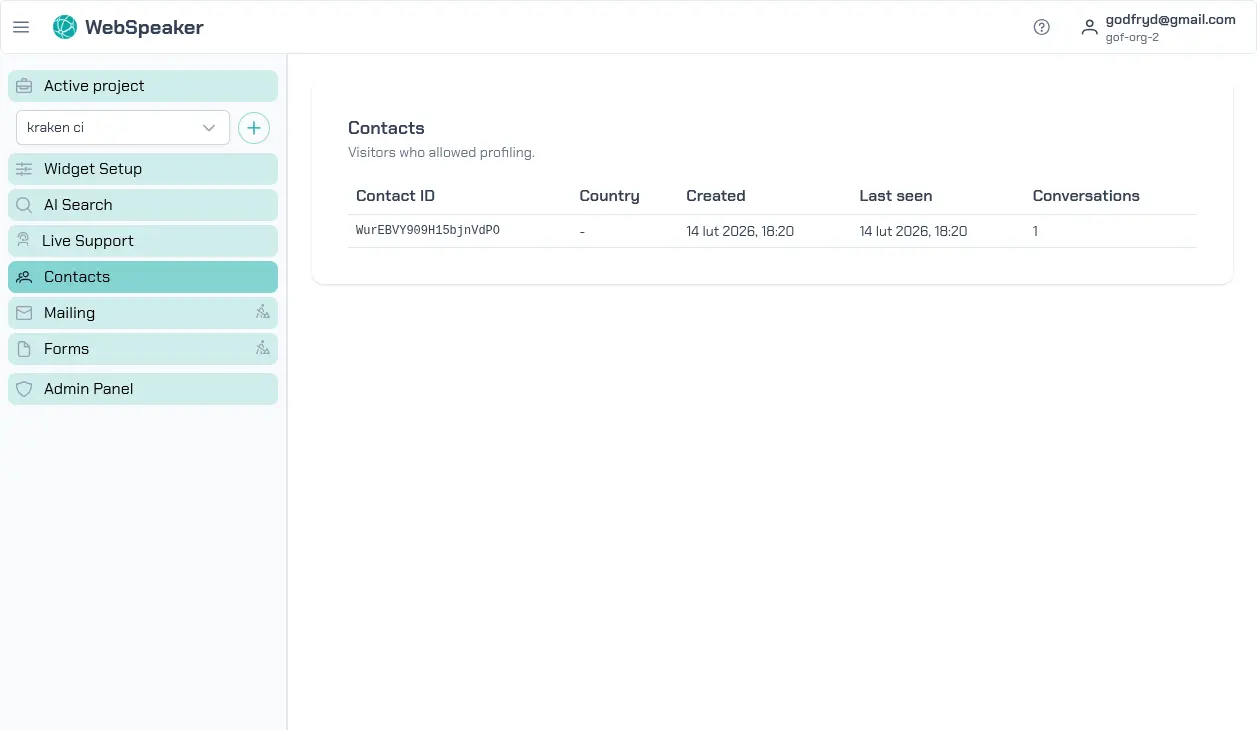
Each contact represents a unique visitor identified by a persistent ID stored in the browser. The contact record tracks when the contact was created, when they were last seen, their country, and how many conversations they have had.
Consent Requirements
Contact tracking is subject to privacy regulations, most notably the General Data Protection Regulation (GDPR) in the European Union. WebSpeaker supports cookie consent integration to ensure compliance. When consent has not been granted by the visitor, contact tracking features are automatically disabled. The widget only activates full tracking functionality after the visitor has provided appropriate consent through your website’s consent management platform.
It is your responsibility to ensure that your cookie consent setup correctly categorizes WebSpeaker’s tracking under the appropriate consent category and that visitors are properly informed about what data is collected. See the Install the Widget guide for more information on configuring consent events.
GeoIP-Based Location Detection
WebSpeaker uses GeoIP lookup to detect the approximate geographic location of your visitors based on their IP address. This information is stored at the country level and is shown in the contact details. Location data helps you understand where your audience is coming from and can be useful for tailoring your support and content strategy to specific regions.
GeoIP detection does not store the visitor’s IP address in the contact record. Only the derived country information is retained, minimizing the amount of personal data stored.
Browsing Contacts
In the management portal, navigate to your project and open the Contacts section to view your contact list. The table shows all tracked visitors with the following columns: Contact ID, Name, Email, Country, Created date, Last seen date, and Conversations count. The list is sorted by most recent activity.
Name and Email are filled in only when your website has identified the visitor, for example a signed-in customer, and shared that information with the widget. Visitors who have not been identified this way show a dash in these columns. Created date, Last seen date, and Conversations count are recorded for every contact regardless of whether a name or email is known, so together they let you tell a brand-new visitor from one who keeps coming back.
Finding a Contact’s Conversations
Each contact links to the conversations it took part in. To review what a specific visitor discussed with the AI assistant, open the Conversations section for your project and use the Filter by contact selector above the conversation list to narrow it down to that contact. See Review Conversations for more on reading conversation history.
Live support sessions also show the contact’s name, email, or ID next to each conversation, so support agents can recognize a visitor who was already talking to the AI assistant before a handoff.
Privacy and Data Management
WebSpeaker stores contact data securely and provides tools for managing it in accordance with privacy regulations. You can delete individual contact records if a visitor requests removal of their data, supporting your compliance with data subject access requests (DSARs) under GDPR. Keeping your contact list clean and up to date is good practice for both privacy compliance and data quality.