WebSpeaker Product Update: April 2026
Product update: April 2026
This is a retrospective summary of what we implemented during April 2026.
Notification center
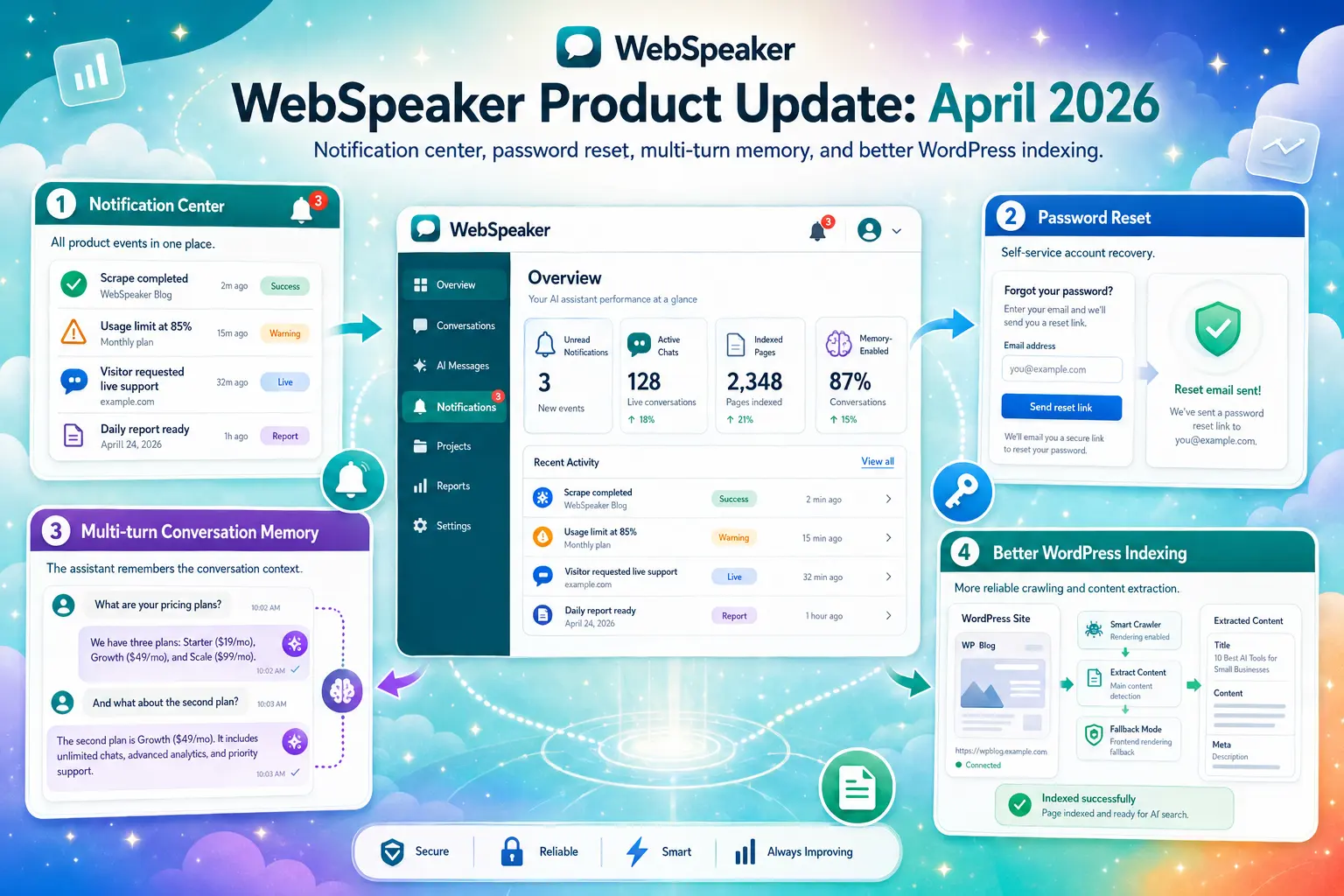
Important events used to happen quietly in the background: a scrape finished, a usage limit came close, a visitor asked to talk to a person, and there was nowhere on screen that told you so. You had to already know to go looking. In April we added an in-app notification center with a bell icon, backed by polling and push notifications, so new events show up as soon as they happen and unread items are marked with a badge. Everything is routed through a single notification service behind the scenes, so scrape results, plan limits, and support activity all land in the same inbox instead of being scattered across different corners of the product. The benefit is one place to check instead of several, so nothing important slips past you. You can see how this fits into day-to-day support work on our support use case page.
Password reset
Forgetting a password used to mean asking us to sort it out manually, which was slow for you and unnecessary work for us. We added a self-service forgot-password flow to the management UI, so you can reset your own password whenever you need to, without waiting on a reply. The benefit is straightforward: account recovery that works on your schedule, not ours.
Multi-turn conversation memory
The chatbot previously treated each question in relative isolation, so a natural follow-up like “and what about the second plan” could lose the thread of what was actually being discussed a moment earlier. In April we added transient conversation memory to the assistant, so it keeps track of what has already been said within a conversation. The benefit is that visitors can ask a quick follow-up question without repeating themselves, and the assistant keeps responding in context instead of starting over each time. This is one of the changes behind the more natural, coherent conversations visitors now have with the assistant.
Better WordPress indexing
Some WordPress sites were coming back from a crawl with pages that looked empty, even though the content was clearly there when you visited the page yourself. The underlying markup wasn’t exposing the content the way our crawler expected. We improved WordPress crawling to handle this pattern, and added a frontend fallback extraction path for pages where the initial approach still comes up short. The benefit is that WordPress-based sites now index reliably, instead of quietly losing pages worth of content.
Together, April’s work gives you one place to catch important events, puts account recovery back in your own hands, keeps chatbot conversations coherent across follow-up questions, and makes WordPress content indexing something you can rely on. We will keep sharing what we build, month by month.